Create A Scholastic Rank
To CREATE a Scholastic Rank that identify the employee's ranking according to their education level, follow these steps:
Navigation 
By default, you will be in Search Mode.
- Click on the New icon
 . You will then be in Insert Mode.
 - Enter the new Scholastic Rank information. Fields with an asterisk
 are mandatory fields.
 - Enter the ID as required, and click on the Active. Select the Language, specify the Scholastic Rank Title in the Title field, and specify the Scholastic Rank Description in the Description Field,
- ID: Scholastic Rank unique identification number (Numbers only field)
- Active: Active Status - if checked, Scholastic Rank will become available.
- Language: Language used
- Name: Name of the Scholastic Rank
- Title: Provide a title describing the Scholastic Rank
- Description: Description of the Scholastic Rank
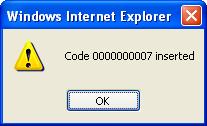
4. Click on the Save icon  at the bottom to save your new Scholastic Rank information. A window will appear to confirm the new Scholastic Rank creation. Click OK to confirm.