Race
Overview
The Race screen provides information to the organization about each individual race.
Navigation 
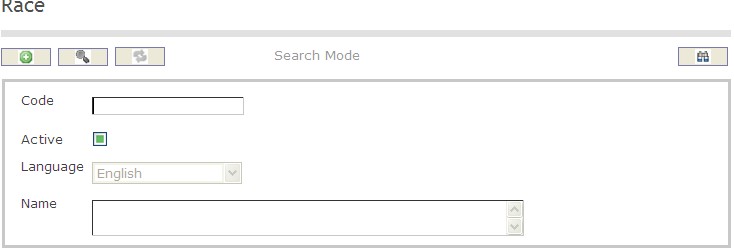
To SEARCH a Race
1. Enter the information to be used as retrieval criteria in the appropriate field(s). If you prefer to see the list of all Races, leave all fields blank.
2. Click on the Find icon  .
.
The screen Race includes the following fields:
| Field | Definition |
| Code | Unique code of identification |
| Active | Default |
| Language | Language of Use |
| Name | Name of Race |
Create A Race
Navigation 
By default, you will be in Search Mode.
- Click on the New icon
 (you will then be in Insert Mode).
 - Enter the new Race information. Fields with an asterisk
 are mandatory fields.
 - Enter the Code, click on the Active checkmark, as required, and select the Language, as required.
Code: Unique identification code of the religion.
Active: Active Status - if checked, Race is available.
4 . Enter Name.
Name: Name of the race.
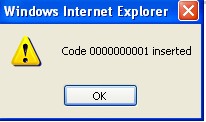
Click on the Save icon  at the bottom of the Race to save your new Race information.
The following window will appear to confirm:
Delete A Race
Navigation 
By default, you will be in Search Mode.
- Find the Race you want to Delete
- Enter the information to be used as retrieval criteria in the appropriate field(s). If you prefer to see all Races, leave all fields blank.
- Click Find
- Select the Race you want to Delete
- Click on the Delete icon

- A window will appear asking you to confirm
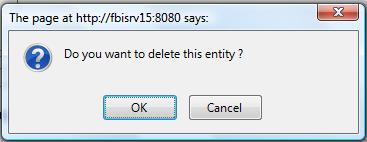
- Click OK to confirm and delete the Race.
- A window will be displayed confirming the Race has been deleted
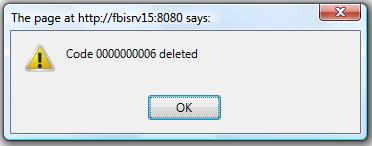
- Click on the Delete icon
To Verify that the Race has been Deleted:
- Click on the Search icon

- Enter the Race information
- Click on the Find icon
The window will appear 
Modify A Race
Navigation 
By default, you will be in Search Mode.
- Enter the information to be used as retrieval criteria in the appropriate field(s).
If you prefer to see the list of all Races, leave all fields blank. - Click on the Find icon . The list of Races meeting the retrieval criteria will appear.
- Click on the Races you want to modify.
You will then be in Update/Delete Mode. - Make the necessary modification(s).
- Click on the Update icon
 at the bottom of the screen to save your modifications. A window will appear to confirm the modification. Click OK to confirm.