Life Certificate
Overview
This screen contains information that helps users understand the requirements that are necessary to obtain pensions
Navigation 
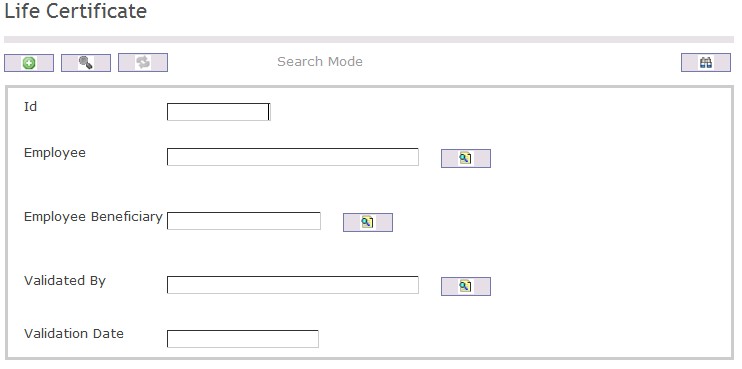
To SEARCH a Life Certificate
- Enter the information to be used as retrieval criteria in the appropriate field(s).
If you prefer to see the list of all Life Certificates, leave all fields blank. - Click on the Find icon
 .
.
| Field | Definition |
| ID | Unique identification code |
| Employee | User within the organization |
| Employee Beneficiary | Employee benefits |
| Validated By | Employee completing the validation |
| Validation Date | Date of validation |
Create A Life Certificate
Overview
This screen contains information that helps users understand the requirements that are necessary to obatin a pensions
Navigation 
To CREATE a Life Certificate follow the steps below
By default, you will be in Search Mode.
- Click on the New icon
 (you will then be in Insert Mode).
 - Enter the new Life Certificate information. Fields with an asterisk
 are mandatory fields.
 - Enter the ID
- To enter the Employee, if required, click on the Lookup icon
 , click on Find icon to retrieve the Employee list, then select the Employee.
 - To enter the Employee Beneficiary, if required, click on the Lookup icon , click on Find icon to retrieve the Employee Beneficiary list, then select the Employee Beneficiary .
- To enter the Validated By, if required, click on the Lookup icon , click on Find icon to retrieve the Validated By list, then select the Validated By.
- Enter the Validation Date
Click on the Save icon  at the bottom of the Life Certificate to save your new Life Certificate information. A window will appear to confirm.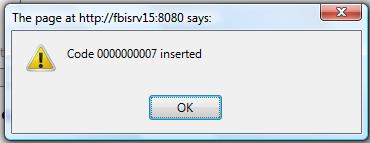
Delete A Life Certificate
Overview
This screen contains information that helps users understand the requirements that are necessary to obatin a pensions
Navigation
To DELETE a Life Certificate follow the steps below
By default, you will be in Search Mode.
- Find the Life Certificate you want to Delete
- Enter the information to be used as retrieval criteria in the appropriate field(s). If you prefer to see all Life Certificates , leave all fields blank.
- Click Find
- Select the Life Certificate you want to Delete
- Click on the Delete icon

- A window will appear asking you to confirm
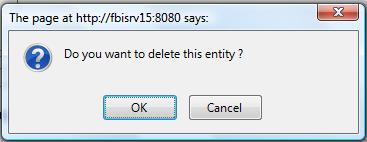
- Click OK to confirm and delete the Life Certificate.
- A window will be displayed confirming the Life Certificate has been deleted
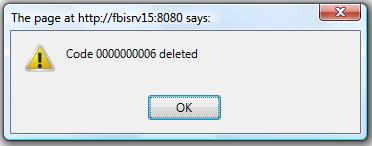
To Verify that the Life Certificate has been Deleted:
- Click on the Search icon

- Enter the Life Certificate information
- Click on the Find icon
The window will appear 
Modify A Life Certificate
Overview
This screen contains information that helps users understand the requirements that are necessary to obtain a pensions
Navigation
To MODIFY a Life Certificate follow the steps below
By default, you will be in Search Mode.
- Enter the information to be used as retrieval criteria in the appropriate field(s).
If you prefer to see the list of all Life Certificates, leave all fields blank. - Click on the Find icon . The list of Life Certificates meeting the retrieval criteria will appear.
- Click on the Life Certificate you want to modify.
You will then be in Update/Delete Mode. - Make the necessary modification(s).
- Click on the Update icon
 at the bottom of the screen to save your modifications. A window will appear to confirm the modification. Click OK to confirm.