Career Standing Individual Report
Overview
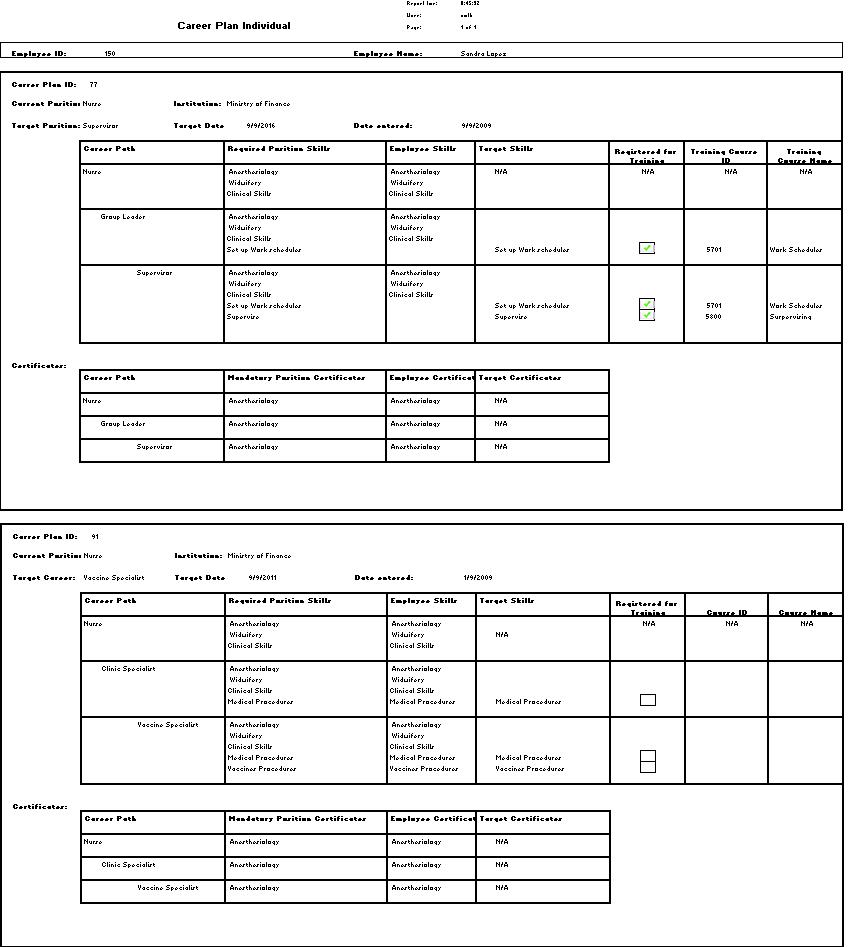
This report shows employee Career Path information, including Current Position, and Target Position.
An example of the report is shown below.
Navigation 
Definition of the Fields
The Career Path Standing Individual Report includes the following fields:
Report Field | Description |
| Career Plan ID | Identification number defining the career plan |
Current Position | The position that the employee currently hold |
| Target Position | The position the employee wants to hold in the future |
| Certificates | The certificates the employee hold from an educational institutions |
| Date Entered | The date the career plan was entered |
| Institution | The name of the organization where the employee works |
| Target Date | The date the employee is set to hold the target position |
Generation of the Report
The Career Standing Individual Report shows the employee career path information including current position, target position.
To GENERATE the Career Plan Individual Report, follow the steps below:
Navigation
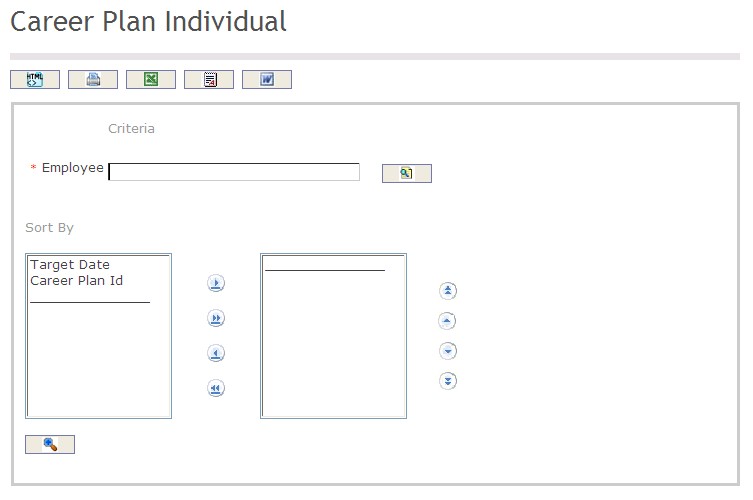
The Career Path Standing Individual Report includes the following filter criteria available for the report:
- Employee - Employee (mandatory parameter) an be selected using the Lookup icon
 , and Find icon
  to retrieve the Employee. Refer to Employee for more information.
 - Sort By - Click the
 ,
,  ,
, ,
,  icons to add and remove filter criteria to / from the selected list and click the
  ,
,  ,
,  ,
,  icons to move the items in the selected list up and down to put them in the desired order of appearance
The report can be exported in HTML, PDF, MS Excel, RTF and MS Word formats, prior to printing, using the  ,
,  ,
,  ,
,  , and
, and  icons.