Promotion Reason
Overview
This screen holds the promotion rationales (reasons).
Navigation 
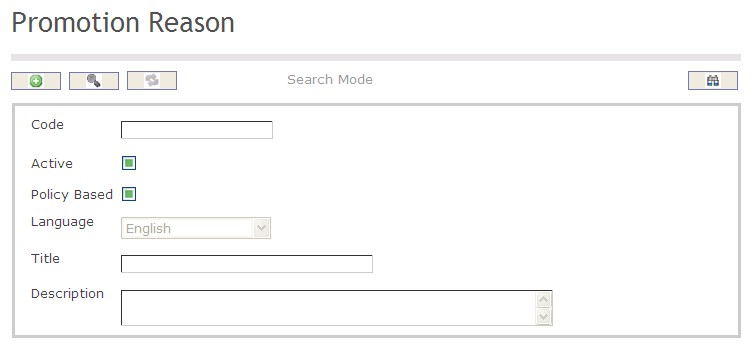
How to SEARCH:
- Enter the information to be used as retrieval criteria in the appropriate field (s). If you prefer to see a list of all Promotion Reasons, leave all fields blank.
- Click on the Find icon
 .
.
The Promotion Reason screen includes the following fields:
| Report Fields | Description |
| Code | Unique identification code of the Promotion Reason |
| Active | By default, this field is true (ie. checkmarked). When false (unchecked), this rationale is not available for usage anymore |
| Policy Based | By default, this field is false (unchecked). User will checkmark this field when creating a reason for the automatic promotions |
| Language | Language used |
| Title | Name of the rationale (e.g. Temporary replacement, Seniority based promotion, etc.). A reserved value will be "Policy Based Promotion" |
| Description | Description of the rationale, if required |
Create a Promotion Reason
The Promotion Reason screen holds the promotion rationales (reasons).
To CREATE a Promotion Reason, follow the steps below:
Navigation 
By default, you will be in Search Mode.
- Click on the New icon
 (you will then be in Insert Mode).
 - Enter the new Promotion Reason information. Fields with an asterisk
 are mandatory fields.
 - Enter the Code, as required.
- Code: Unique identification code of the Promotion Reason
4. Click the Active and Policy Based checkboxes, as required.
- Active: By default, this field is true (ie. checkmarked). When false (unchecked), this rationale is not available for usage anymore
- Policy Based: By default, this field is false (unchecked). User will checkmark this field when creating a reason for the automatic promotions
5. Select the Language from the drop-down menu.
- Language: Language used
6. Enter the Title.
- Title: Name of the rationale (e.g. Temporary replacement, Seniority based promotion, etc.). A reserved value will be "Policy Based Promotion"
7. Enter the Description.
- Description: Description of the rationale, if required
8. Click on the Save icon  at the bottom of the Promotion Reason to save your new Promotion Reason information. A window will appear to confirm.
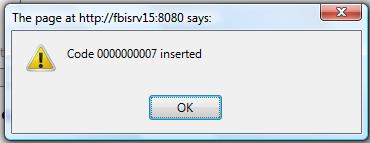
Delete a Promotion Reason
The Promotion Reason screen holds the promotion rationales (reasons).
To DELETE a Promotion Reason, follow the steps below:
Navigation
By default, you will be in Search Mode.
- Find the Promotion Reason you want to Delete
- Enter the information to be used as retrieval criteria in the appropriate field(s). If you prefer to see all Promotion Reasons, leave all fields blank.
- Click Find

- Select the Promotion Reason you want to Delete
- Click on the Delete icon

- A window will appear asking you to confirm
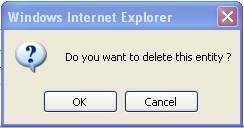
4. Click OK to confirm and delete the Promotion Reason.
5. A window will be displayed confirming the Promotion Reason has been deleted
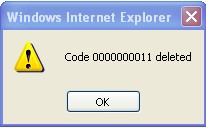
To Verify that the Promotion Reason has been Deleted:
- Click on the Search icon

- Enter the Promotion Reason information
- Click on the Find icon
- The window will appear

Modify a Promotion Reason
The Promotion Reason screen holds the promotion rationales (reasons).
To MODIFY a Promotion Reason, follow the steps below:
Navigation
By default, you will be in Search Mode.
- Enter the information to be used as retrieval criteria in the appropriate field(s).
If you prefer to see the list of all Promotion Reasons, leave all fields blank. - Click on the Find icon . The list of Promotion Reasons meeting the retrieval criteria will appear.
- Click on the Promotion Reason you want to modify.
You will then be in Update/Delete Mode. - Make the necessary modification(s).
- Click on the Update icon
 at the bottom of the screen to save your modifications. A window will appear to confirm the modification. Click OK to confirm.