Generation of Report
Overview
The Pay Change Report shows the changes that took place within certain specified dates. The changes that this report should display are based on the Workflows and the Pay Change Requests.
Navigation 
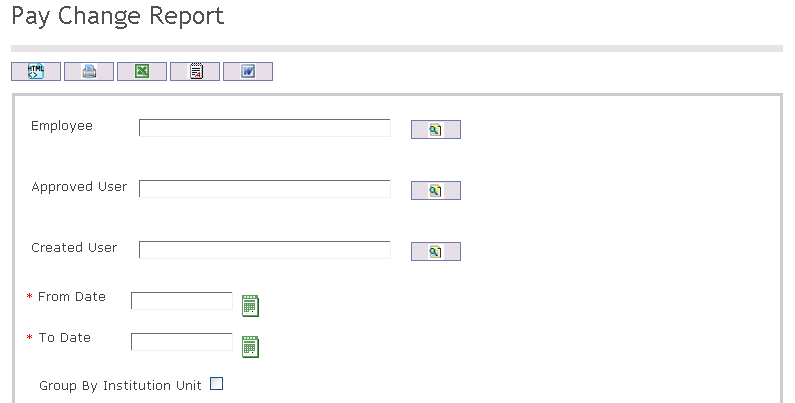

The Pay Change Report includes the following filter criteria available for the report:
- Employee - To enter the Employee, (optional field) click on the Lookup icon
 , click on Find icon
  to retrieve the Employee list, then select the Employee
 - Approved User - To enter the Approved User, (optional field) click on the Lookup icon , click on Find icon to retrieve the Approved User list, then select the Approved User
- Created User - To enter the Created User, (optional field) click on the Lookup icon , click on Find icon to retrieve the Created User list, then select the Created User
- From Date - Select From Date using Calculator tool

- To Date - Select To Date using Calculator tool
- Select Group By Institution Unit
- Group By Institution Type - Select Group By Institution Type from drop-down menu
If all filter criteria are left blank, all Employees, Approved Users, Created Users will be included in the Report allowed by the report user security profile.
The report can be exported in HTML, PDF, MS Excel, RTF and MS Word formats, prior to printing, using the  ,
,  ,
,  ,
,  , and
, and  icons.