FreeBalance Accountability Suite
Recherche
User login
 English
 Français
 монгол
 Português
 Español
Create a Training Feedback Template
Overview
Training Feedback Templates include all the required training course feedback for the specific training course.
To CREATE training feedback templates follow the steps below:
Navigation 
By default, you will be in Search Mode.
- Click on the New icon
 (you will then be in Insert Mode).
 - Enter the new Training Feedback Template information. Fields with an asterisk
 are mandatory fields.
 - Enter the Code, click on the Active checkmark, as required.
- Code: Unique identification code of the Training Feedback Template.
- Active: Active Status - if checked, Training Feedback Template is available.
4. The Date Created will be automatically generated.
- Date Created: The date the template is created.
5. Choose the Training Feedback Template Type from the drop down menu
- Training Feedback Template Type: The type of training feedback that will be used, from the drop-down menu.
6. To enter the Author, click on the Lookup icon  , click on Find icon
  to retrieve the Employee list, then select the Employee.
7. Select the Language, as required.
- Language: language used.
8. Enter Name and Description of Training Feedback Template.
- Name: Name of the Training Feedback Template.
- Description: Description of the Training Feedback Template.
To ADD Training Feedback Criteria to the Training Feedback Template:
- Click on Lookup icon
 , under
  and enter the Training Feedback Criteria information, or leave the Training Feedback Criteria information blank to retrieve all Training Feedback Criteria .
 - Click Find icon
- Click the individual Select Checkbox (es) to select and de-select the Training Feedback Criteria, as required.
- Repeat steps 1, 2 and 3 for all required Training Feedback Criteria .
- Click the Return icon
 to return to the Training Feedback Template screen, or click the Discard button
  to discard the selection entry and return to Training Feedback Template.
 - Click the individual Select Checkbox (es) to select and de-select the Training Feedback Criteria, as required, or click the Select All icon
 or Un-select All
  icon, to select all Training Feedback Criteria or de-select all Training Feedback Criteria, if required.
 - Click the Remove icon to remove the selected Training Feedback Criteria information, if required.
To ADD new Training Feedback Criteria, refer to Training Feedback Criteria.
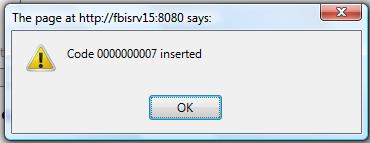
8. Click on the Save icon  at the bottom of the Training Feedback Template page to save your new Training Feedback Template information. A window will appear to confirm.