FreeBalance Accountability Suite
Хайлт
Хэрэлэгчийн нэвтрэлт
 English
 Français
 монгол
 Português
 Español
Modify A Business Trip Group
Пүрэв гариг, 2010-06-03 16:06 он сар өдөр - malzoubi хэрэглэгчийн нэр
To MODIFY a Business Trip Group that list individual employees who are on a business trip and are part of the same group, follow the steps below:
Navigation 
By default, you will be in Search Mode.
- Enter the information to be used as retrieval criteria in the appropriate field (s). If you prefer to see a list of all Business Trip Groups, leave all fields blank.
- Click on the Find icon
 .
- Click on the Business Trip Group Field you want to modify.
You will then be in Update/Delete Mode. - Make the necessary modifications.
- Click on the Update icon
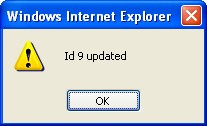
 at the bottom of the screen to save your modifications. A window will appear to confirm the modification. Click OK to confirm.