- Human Resources
- Support Entities
- Accumulated Benefits Management
- Assignment Management
- Position Management
- Employee Management
- Promotion Management
- Performance Appraisal Management
- Retirement Management
- Leave Management
- Recruitment Management
- Salary Scale Management
- Succession Planning
- Termination of Employment
- Time and Attendance Management
- Training Management
- Travel and Subsistence Management
- Financial Disclosure
- Batch Update
- Position Management
- Batch Update
- Disciplinary
- Employee Management
- Financial Disclosure
- Budget Planning For Salaries
- Export HR Data
- Reports
- PMIS Interface
- External Recruitment
- Help Function
- Employee Self Service
- Support Entities
FreeBalance Accountability Suite
Search
User login
 English
 Français
 монгол
 Português
 Español
Modify A Per Diem Rate
Fri, 2010-06-04 10:27 — malzoubi
To MODIFY a Per Diem Rate Table that includes the Per Diem Rates for a particular country and city, follow the steps below:
Navigation 
By default, you will be in Search Mode.
- Enter the information to be used as retrieval criteria in the appropriate field (s). If you prefer to see a list of all Per Diem Rates, leave all fields blank.
- Click on the Find icon
 .
- Click on the Per Diem Rate you want to modify.
You will then be in Update/Delete Mode. - Make the necessary modifications.
- Click on the Update icon
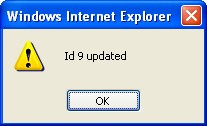
 at the bottom of the screen to save your modifications. A window will appear to confirm the modification. Click OK to confirm.