FreeBalance Accountability Suite
Search
User login
 English
 Français
 монгол
 Português
 Español
Create A Life Certificate
Wed, 2010-07-21 09:57 — sjaiswal
Overview
This screen contains information that helps users understand the requirements that are necessary to obatin a pensions
Navigation 
To CREATE a Life Certificate follow the steps below
By default, you will be in Search Mode.
- Click on the New icon
 (you will then be in Insert Mode).
 - Enter the new Life Certificate information. Fields with an asterisk
 are mandatory fields.
 - Enter the ID
- To enter the Employee, if required, click on the Lookup icon
 , click on Find icon
  to retrieve the Employee list, then select the Employee.
 - To enter the Employee Beneficiary, if required, click on the Lookup icon , click on Find icon to retrieve the Employee Beneficiary list, then select the Employee Beneficiary .
- To enter the Validated By, if required, click on the Lookup icon , click on Find icon to retrieve the Validated By list, then select the Validated By.
- Enter the Validation Date
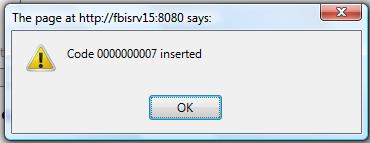
Click on the Save icon  at the bottom of the Life Certificate to save your new Life Certificate information. A window will appear to confirm.