
- Human Resources
- Support Entities
- Accumulated Benefits Management
- Assignment Management
- Position Management
- Employee Management
- Promotion Management
- Performance Appraisal Management
- Retirement Management
- Leave Management
- Recruitment Management
- Salary Scale Management
- Succession Planning
- Termination of Employment
- Time and Attendance Management
- Training Management
- Travel and Subsistence Management
- Financial Disclosure
- Batch Update
- Position Management
- Batch Update
- Disciplinary
- Employee Management
- Financial Disclosure
- Budget Planning For Salaries
- Export HR Data
- Reports
- PMIS Interface
- External Recruitment
- Help Function
- Employee Self Service
- Support Entities
FreeBalance Accountability Suite
Search
User login
 English
 Français
 монгол
 Português
 Español
Promotion Reason
Thu, 2010-11-04 16:17 — slind
Overview
This screen holds the promotion rationales (reasons).
Navigation 
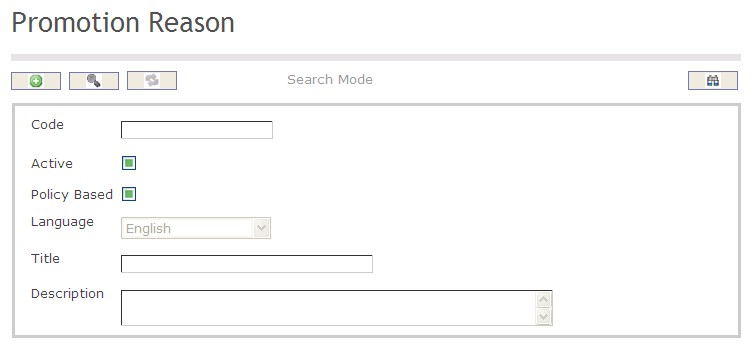
How to SEARCH:
- Enter the information to be used as retrieval criteria in the appropriate field (s). If you prefer to see a list of all Promotion Reasons, leave all fields blank.
- Click on the Find icon
 .
.
The Promotion Reason screen includes the following fields:
| Report Fields | Description |
| Code | Unique identification code of the Promotion Reason |
| Active | By default, this field is true (ie. checkmarked). When false (unchecked), this rationale is not available for usage anymore |
| Policy Based | By default, this field is false (unchecked). User will checkmark this field when creating a reason for the automatic promotions |
| Language | Language used |
| Title | Name of the rationale (e.g. Temporary replacement, Seniority based promotion, etc.). A reserved value will be "Policy Based Promotion" |
| Description | Description of the rationale, if required |